
To set up an email account on your Android device, follow the steps below:
1. Open the Gmail app

2. Click the three overlapping bars on the top-left of the screen

3. On the menu bar, click on Settings.
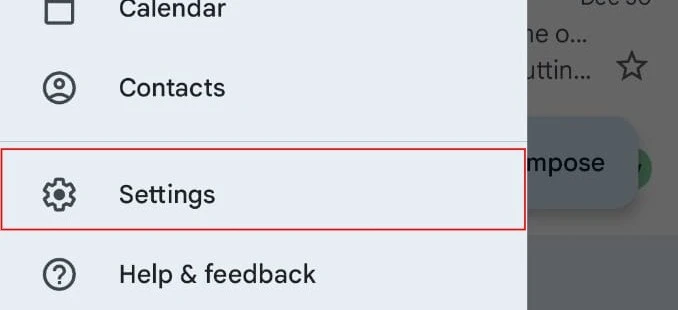
4. Click Add Account.

5. On the list of options provided, select Google.

6. You have to enter your PIN/password to proceed.
7. Click Create Account (1)

8. Two options: For my personal use (2) Or For work or my business (3). Choose which one suits your purpose and click Next (4).
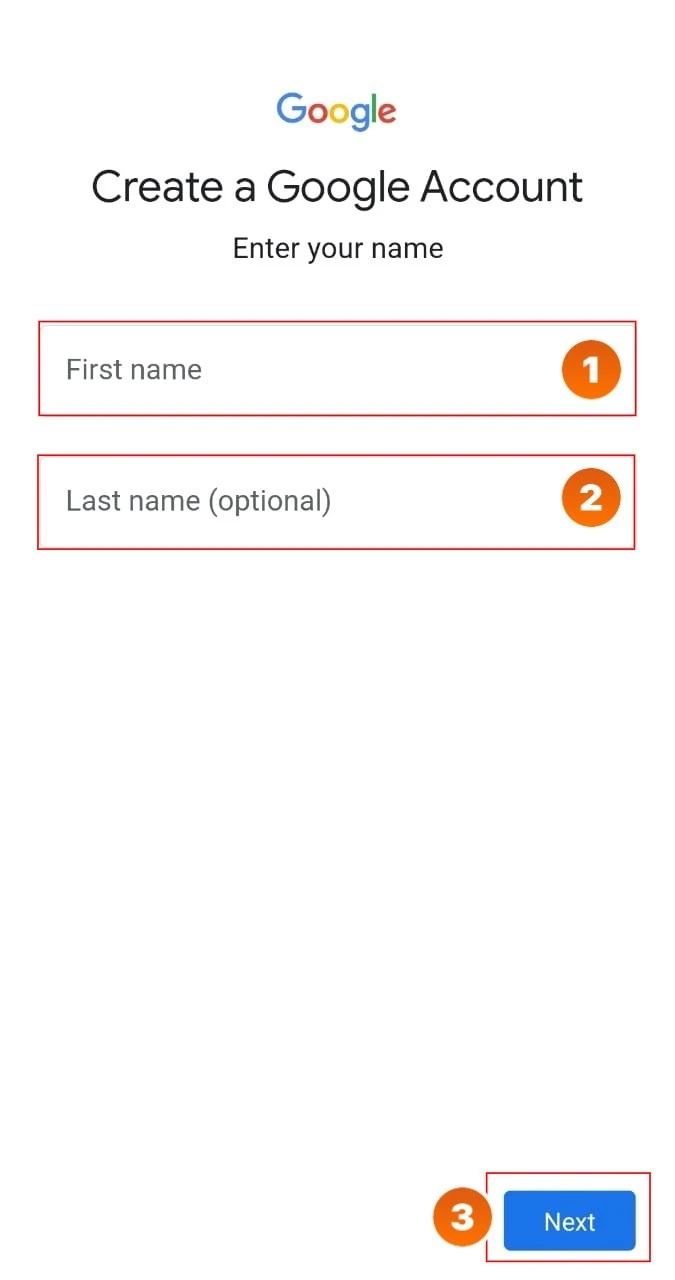
9. Fill in the First name (1) and Last name (2) fields and click Next (3) (Last name is optional).
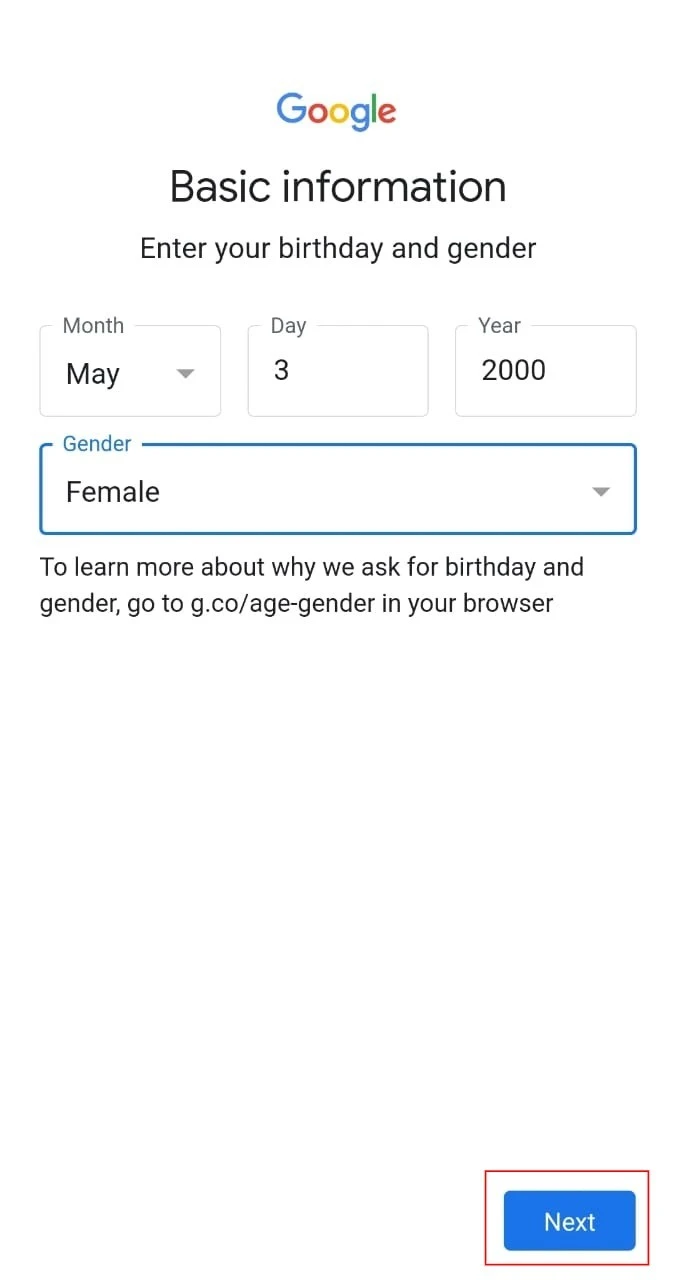
10. Enter your birthday and Gender, then click Next.

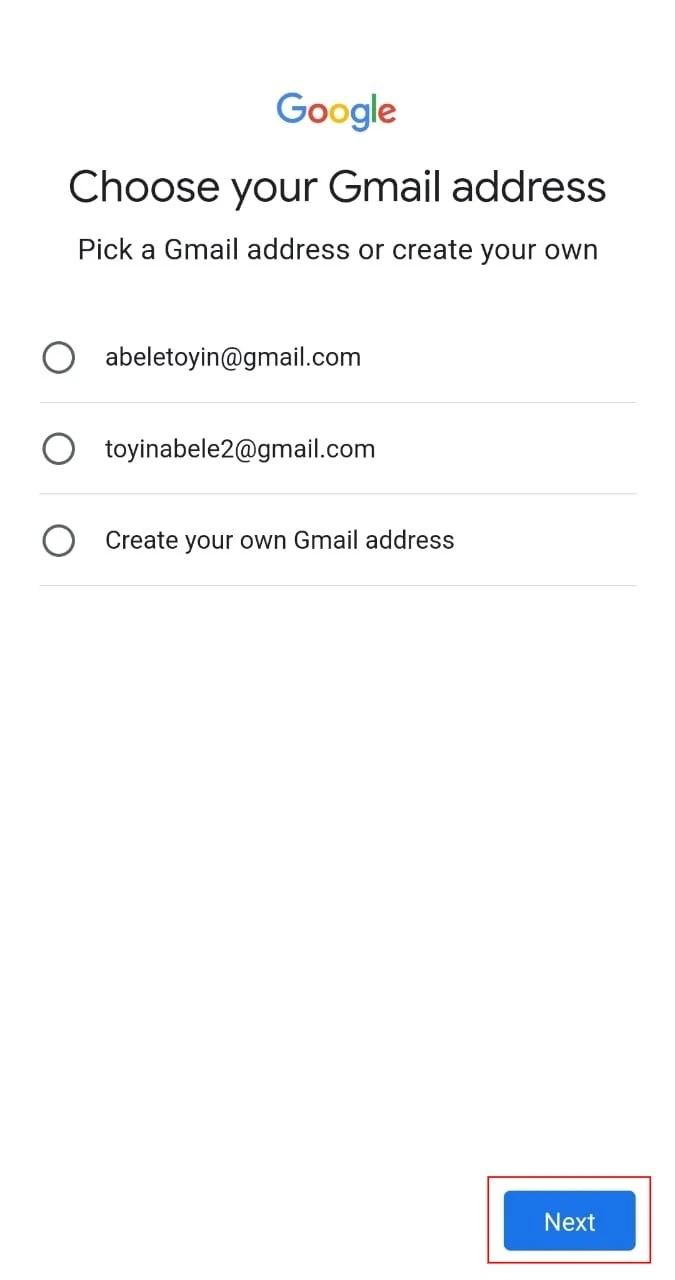
11. You can either pick one of the suggested email addresses or create yours. Then click Next.
12. Click Yes, I’m in on the bottom-right of the screen.

13. A page will pop up to review your account info. Click Next

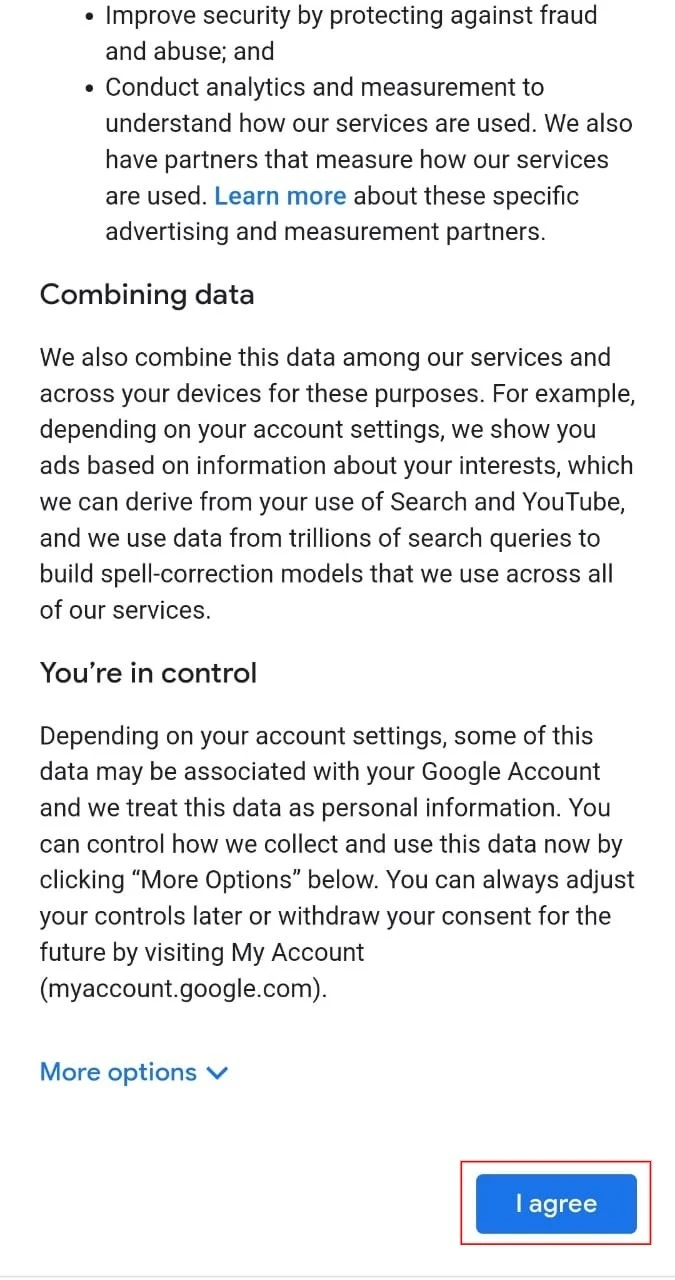
14. Click I agree on the next page that appears
Your email account is now set up.